

Think of a cellular outdoor camera as your high-tech scout, reporting back from deep in the woods or your back forty in real-time. It operates completely independently of Wi-Fi, using mobile networks—just like your smartphone—to beam photos and videos straight to your device. This is a game-changer for monitoring remote, off-grid locations, giving you instant updates without ever having to leave home.
How a Cellular Outdoor Camera Actually Works
At its heart, a cellular outdoor camera blends the rugged durability of a classic trail camera with the always-on connectivity of a mobile phone. Instead of just saving images to an SD card that you have to physically go and get, it packages them up and zips them over a 4G or 5G network. This complete freedom from Wi-Fi routers and ethernet cables is what makes it so powerful for keeping an eye on places far from civilization.
The whole thing boils down to a simple, automated three-step workflow. This sequence is what lets the device act as your eyes in the field, delivering crucial intel without you needing to be there.
The Capture Process
It all starts with a trigger. When the camera’s passive infrared (PIR) sensor picks up the heat and motion signature of a passing animal—like a buck stepping into a clearing or a trespasser on your property line—it instantly wakes up from its low-power standby mode.
From there, it snaps a photo or records a short video clip, just like any standard digital camera. The best models do this in a fraction of a second, so you never miss that crucial moment. You can dive deeper into the specifics of this technology in our guide to 4G trail camera operations.
The flowchart below breaks down this simple capture-to-transmit workflow.
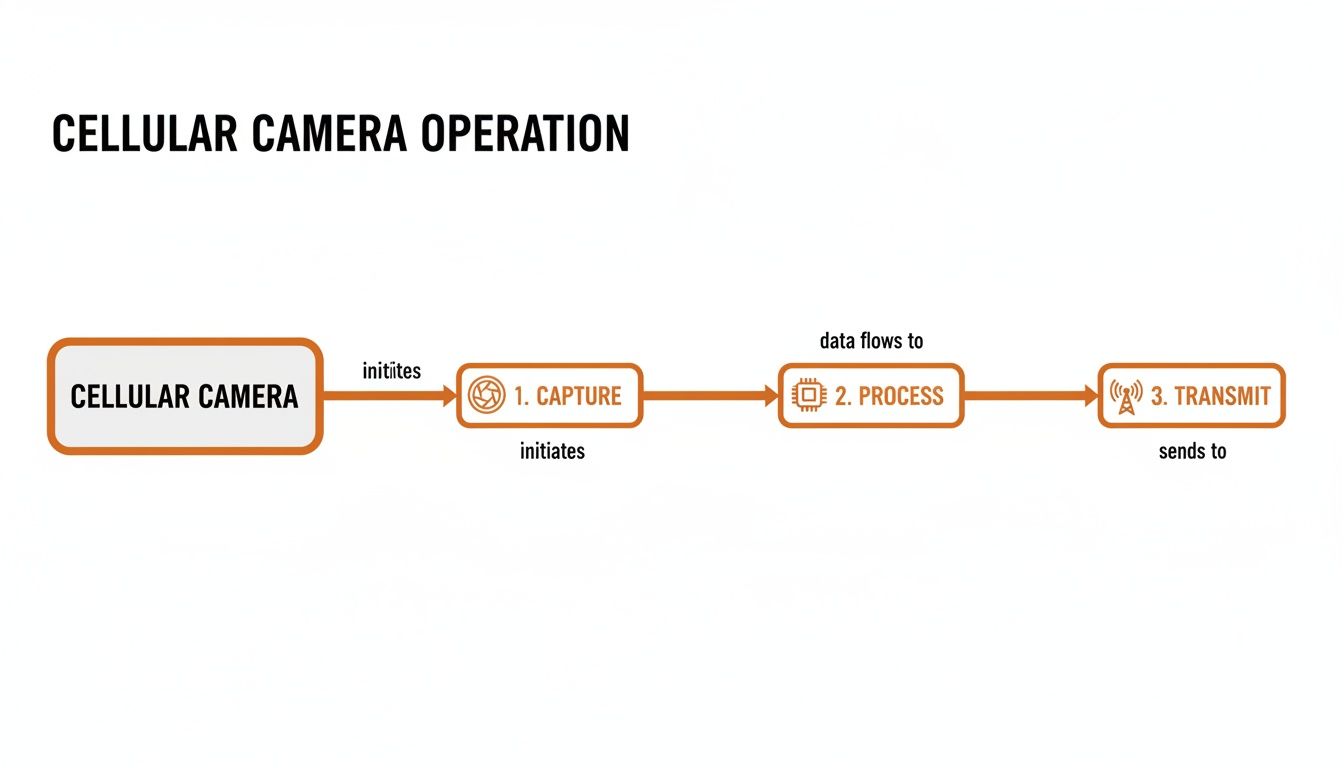
As you can see, the process is linear: a motion-triggered event leads to internal processing, which is followed by the final cellular transmission.
Data Processing and Transmission
Once the image or video is captured, the camera’s internal brain—the processor—gets to work. It compresses the file down to an ideal size for a quick and clean transmission over the cellular network. This step is absolutely critical; it ensures the data can be sent reliably even with a spotty signal, all without killing the battery.
Finally, the camera's built-in cellular modem connects to the nearest cell tower from networks like Verizon, AT&T, or T-Mobile. It then transmits the compressed data to a cloud server, which in turn pushes it to your smartphone app as a notification, often within just a few seconds.
The demand for this kind of instant, wire-free monitoring is exploding. The global cellular camera market hit USD 13,663.1 million in 2024 and is on track to more than double by 2030. This growth is fueled by people just like you who need reliable surveillance far beyond the reach of a Wi-Fi signal.
Key Takeaway: A cellular outdoor camera works by detecting motion, capturing an image, compressing it for transmission, and then using its built-in cell modem to send that data straight to your phone. It completely bypasses the need for Wi-Fi.
Essential Features of a Modern Trail Camera
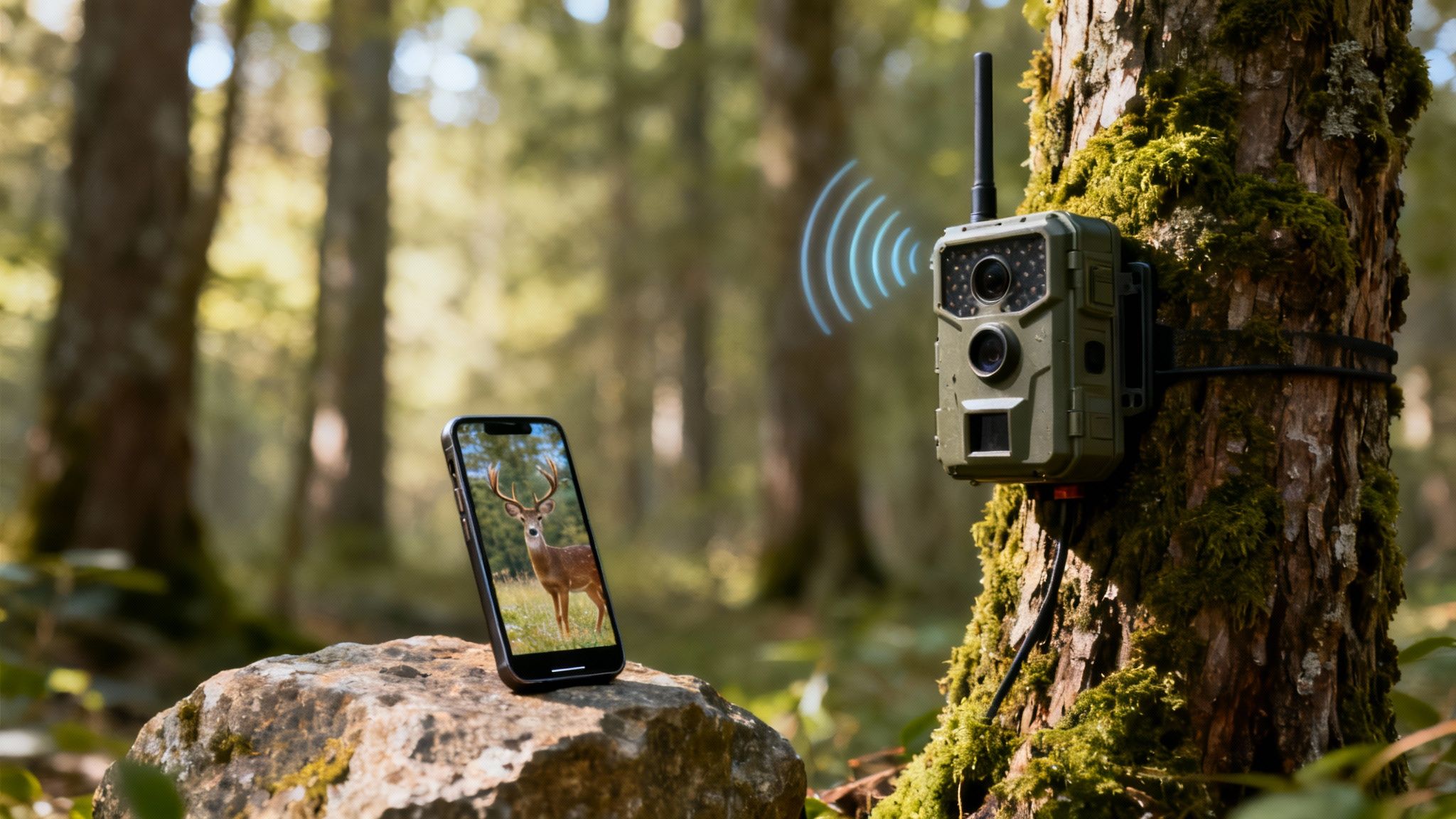
Once you get the hang of how a cellular outdoor camera works, the next step is figuring out what separates a basic model from a serious field tool. The best modern cameras are built on four key pillars that work together to give you reliable, clear, and genuinely useful intel from the woods.
These features aren't just specs on a box; they're the practical answers to real-world problems that every hunter and wildlife pro faces.
Always-On Connectivity and Signal Strength
The entire point of a cellular camera is its ability to send you photos. Plain and simple. If that connection is spotty, you just have a regular trail cam with a pricey, useless antenna. This is where solid connectivity becomes an absolute must-have for anyone serious about remote scouting.
Think of it like your cell phone. We all know those dead zones where one carrier works and another doesn't. Top-tier cameras solve this with multi-carrier 4G LTE support. Instead of being stuck with one network, these cameras automatically find and lock onto the strongest signal from major providers like AT&T, Verizon, or T-Mobile. This is what keeps your camera online and sending images, even in those fringe areas where service is weak.
For example, Magic Eagle's EagleCam 5 uses its SignalSync technology to constantly scan for the best network. This simple feature prevents that frustrating moment when your camera goes dark just because one carrier’s tower is down or has a weak signal in that hollow.
Power Management and Field Durability
A dead camera is a useless camera. That's why power and durability are so critical, especially when you're leaving a camera out for months in harsh, remote spots. You need gear that can handle the elements and run on its own.
Modern cameras attack the power problem in two main ways:
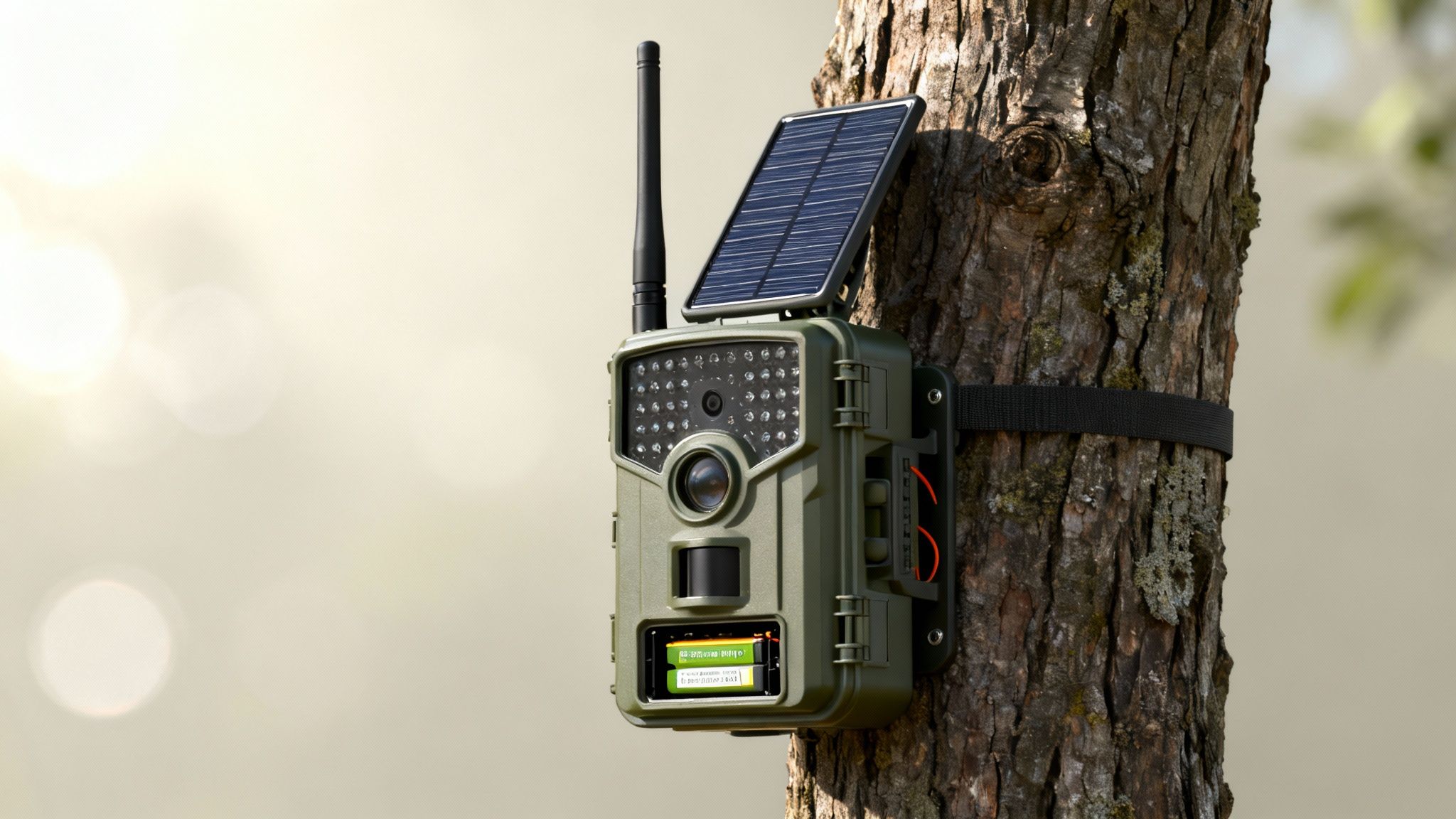
- Integrated Solar Panels: These give the internal battery a constant trickle charge, massively extending its life in the field and cutting down on trips to swap batteries. A few hours of good sun can often be enough to power the camera forever.
- High-Capacity Lithium-Ion Battery Packs: In places with thick canopy and little sunlight, a beefy internal battery is your lifeline. These are built for the long haul, capable of powering a camera through thousands of transmissions on a single charge.
Just as important is how tough the camera is built. Look for a high IP (Ingress Protection) rating, like IP66 or IP67. This number tells you how well the camera is sealed against dust, dirt, and heavy rain, ensuring it keeps clicking through downpours, snow, and brutal temperature swings. A rugged, well-sealed case is what protects the sensitive electronics inside.
Superior Image and Video Quality
What's the point of getting a notification if the picture is too blurry or dark to tell what you're looking at? The quality of a camera's lens and sensor directly impacts how successful your scouting will be. There are a few key specs that really define a camera's imaging chops.
A fast trigger speed, high resolution, and the right flash are the trifecta of great trail camera imaging. If you miss on any one of these, you get a picture of a deer’s tail instead of the buck of a lifetime.
Here’s what really matters:
- Megapixels (MP): More megapixels mean more detail. This lets you zoom in to count antler points or identify a specific animal. Good cameras today offer anywhere from 24MP to 32MP or even higher.
- Trigger Speed: This is how fast the camera snaps a picture after it senses motion. A quick trigger speed (anything under 0.5 seconds) is absolutely essential for catching fast-moving animals before they're out of the frame.
- Flash Type: The flash dictates your nighttime image quality. No-glow infrared (IR) is totally invisible to animals and people, making it perfect for spooky bucks and security. Low-glow IR gives off a faint red light but often produces brighter, sharper night photos.
Smart AI and Advanced Security Features
The final pillar of a modern cellular camera is intelligence. Smart features are what turn a simple camera into a powerful data-gathering tool. These are the functions that save you time, protect your gear, and give you deeper insights into animal behavior.
AI-powered species recognition is a total game-changer. Instead of scrolling through hundreds of photos of squirrels and raccoons, the camera’s software automatically identifies and tags animals like deer, turkeys, or hogs. This lets you filter your gallery and focus only on the species you care about.
On top of that, built-in GPS tagging and anti-theft features are becoming standard. GPS lets you see each camera's exact location on a map in your app—a lifesaver when you're managing multiple units across a big property. If a camera gets stolen, GPS can help you track it down. Some systems, like the EagleCam 5, even have geofencing alerts that ping you if the camera is moved from its spot, adding a crucial layer of security for your investment.
Real-World Uses for Hunters and Wildlife Pros
The real power of a cellular outdoor camera isn't in its tech specs—it's in the edge it gives you out in the field. Let's get past the feature list and see how these devices become mission-critical partners for anyone who lives and works in the wild.
Think of them less like cameras and more like real-time data hubs. They completely change how you approach your work, whether you're patterning a trophy buck or trying to protect a vulnerable species.
The Strategic Whitetail Hunter
Let’s start with a seasoned whitetail hunter getting ready for the season. The old way meant weeks of trudging out to check SD cards, leaving behind human scent and blowing deer out of their core areas. Today, a network of cellular cameras paints a completely different picture.
Our hunter sets up three cameras across a big piece of land:
- Camera One: Watches a hidden food plot deep in the timber.
- Camera Two: Covers a key funnel that connects a thick bedding area to that plot.
- Camera Three: Keeps an eye on a scrape line running along a hardwood ridge.
Using his phone, he tags each camera’s location on an interactive map. As photos and videos start rolling in, a clear pattern of deer movement takes shape. The camera's AI-powered species recognition filters out the raccoons and squirrels, so he only sees deer. This lets him know exactly when and where his target buck is moving between bed and food, all without stepping foot on the property after the initial setup.
This isn't just scouting; it's building a data-driven game plan. The hunter knows the buck’s preferred travel times, the wind directions it favors, and the routes it takes. He's not guessing on opening day—he's executing a precise strategy.
The Non-Invasive Wildlife Biologist
Now, picture a wildlife biologist studying the nesting habits of a rare ground-nesting bird. Getting too close could make the parents abandon the nest, making old-school observation methods risky and self-defeating.
A cellular outdoor camera is the perfect solution. The biologist places a camera a safe distance from the nest, hooked up to a solar panel to keep it running all season long. From an office miles away, she gets a steady stream of high-resolution images and video clips.
This remote access delivers priceless data on:
- Incubation times and hatch success rates.
- Parental behavior, like how often they feed the chicks.
- Predator threats from animals like foxes or coyotes.
The biologist gathers a mountain of information without ever disturbing the sensitive environment. It’s a complete shift in how to conduct field research ethically and effectively.
The Vigilant Ranch Manager
Finally, think about a ranch manager overseeing hundreds of acres, multiple livestock feeders, and expensive equipment. Driving the fence lines every day is a huge time sink. Trespassing and poaching are constant worries that need an immediate response.
By setting up a cellular camera at the main gate and another watching a remote feeding station, the manager gets total situational awareness. He gets instant alerts if a vehicle enters the property or if a predator, like a mountain lion, starts circling the feeders.
This kind of technology is a game-changer, especially in North America, which accounts for over 40% of the entire global outdoor security camera market. The region’s huge ranches and hunting lands are prime territory for these devices, fueling a market growth that’s projected at a 17.4% CAGR through 2030. You can dig into more data in the full outdoor security cameras market report. For the ranch manager, a single alert can be the difference between protecting his assets and taking a major loss.
How to Choose the Right Cellular Camera for You
Picking the right cellular outdoor camera is a lot like choosing the right tool for a job. You wouldn't use a hammer to turn a screw, right? In the same way, the best camera for scouting a remote food plot isn't the same one you'd use to secure a front gate. By asking a few key questions upfront, you can cut through the noise and find a model that perfectly fits your goals, budget, and the environment you'll be using it in.
The first step is always the same: get crystal clear on your primary objective. Are you a hunter trying to pattern a specific buck? A rancher keeping an eye on livestock? Or a landowner who needs reliable security far from any Wi-Fi signal? Your answer will shape every other decision you make.
Define Your Primary Goal
Before you even start browsing products, figure out exactly what you need the camera to accomplish. This clarity helps you prioritize features and stops you from overpaying for bells and whistles you’ll never touch.
Think about your core mission:
- Game Scouting: If your main goal is patterning wildlife, then high-resolution images, lightning-fast trigger speeds, and AI species recognition should be at the top of your list. You need crisp photos to identify individual animals and smart filters to avoid scrolling through hundreds of pictures of squirrels.
- Property Security: For security, a wide field of view, dependable night vision, and instant motion alerts are non-negotiable. You might also find that features like live-streaming and two-way audio are critical for responding to an incident in real-time.
- Hybrid Use: Lots of us need a camera that can do a bit of both. In that case, you'll want a versatile cellular outdoor camera that strikes a balance between top-tier imaging and solid security features, like GPS tracking.
The demand for these do-it-all, hassle-free devices is exploding. In fact, the market for wireless outdoor security cameras is projected to hit USD 8,500 million globally by 2033. This growth is all about the massive shift toward easy-to-install solutions for remote spots.
Evaluate Your Camera Placement and Signal Needs
Where you plan to put your camera is just as important as why. The physical environment has a direct impact on whether your camera can connect and send images. A camera sitting in an open field has totally different connectivity needs than one tucked away deep in a wooded hollow.
Before you buy, take a walk and check the cell service at your intended locations. A camera with multi-carrier support, like the Magic Eagle EagleCam 5, is a game-changer because it automatically finds and switches to the strongest network. This simple feature can be the difference between getting your pictures and having a dead box on a tree.
Think about the landscape. Thick tree canopies, deep valleys, and remote geography can all weaken a cellular signal. Choosing a camera known for strong reception and multi-carrier capabilities is your best insurance policy against missed transmissions.
Understand Data Plans and Connectivity Costs
A cellular camera needs a data plan to send you photos and videos, and these plans can vary wildly. Some cameras force you to buy a SIM card and data plan from a carrier like AT&T or Verizon, which can be a real headache to manage. We cover this in-depth in our guide on understanding trail camera cellular plans.
The simpler, more modern approach is an all-in-one setup. The camera arrives with a pre-installed, multi-carrier SIM card and a dedicated data plan you manage right from the app. This model is often far more flexible, letting you pick a plan based on how many photos you expect to get and easily adjust it on the fly. It completely removes the guesswork and compatibility issues.
Prioritize Security and Anti-Theft Features
Finally, never forget that a cellular outdoor camera is a valuable piece of gear often left alone in remote areas. Protecting your investment is just common sense. Look for models with built-in anti-theft and security features that let you sleep at night.
Here are the security features that really matter:
- GPS Tracking: This lets you see your camera's exact location on a map in real-time. If it gets moved or stolen, you'll know exactly where to look.
- Geofencing Alerts: You can draw a virtual boundary around your camera's location. If the camera ever moves outside that circle, you get an instant alert.
- Password Protection: A strong password on both the camera and its app is your first line of defense, preventing anyone else from accessing your images or messing with your settings.
Making a smart purchase goes way beyond comparing megapixels. This guide on choosing your best NZ outdoor security camera offers some great additional insights. By carefully thinking through your goals, location, data needs, and security, you can pick a camera that will be a reliable partner in the field for years to come.
Field Tips for Perfect Setup and Placement
Owning a powerful cellular outdoor camera is one thing, but knowing how to deploy it in the field is what truly makes the difference. The right setup and strategic placement can turn a good camera into an incredible scouting tool, feeding you clear, consistent, and valuable intel from your property.
The work starts the second you open the box. First, get that battery fully charged and follow the manufacturer's steps to activate the camera through its app. This initial handshake links your camera to your account and data plan, getting it ready for the field. It’s a crucial first step, and it’s always best to do it at home where you’ve got a solid connection and can be sure everything works perfectly. For a complete walkthrough, check out our beginner's guide on how to set up a trail camera.
Strategic Camera Placement
Once your camera is online, the real fun begins. Picking the perfect spot is more than just strapping it to the first tree you see. You're aiming for clean, unobstructed shots of your target area while dodging false triggers from things like swaying branches or the sun.
Keep these key factors in mind:
- Height: Mount your camera about 3 to 4 feet off the ground. This is the sweet spot for getting full-body shots of deer and other big game, and it keeps your camera out of the snow and above most undergrowth.
- Angle: Never, ever point the camera directly into the sunrise or sunset. That harsh light will blow out your images and set off the motion sensor for no reason. Pointing it north or south is your best bet for even, consistent lighting all day long.
- Sightline: Before you walk away, clear out any small branches, tall weeds, or leaves in the camera’s direct line of sight. Wind-blown foliage is the number one cause of false triggers, which just drains your battery and clogs your gallery with empty pictures.
Field Pro Tip: Always use the "live view" or "test mode" in your camera’s app before leaving. It lets you see exactly what the camera sees, so you can frame that trail, feeder, or scrape perfectly and confirm your angle is spot-on.
Optimizing Your Cellular Signal
A cellular camera is only as good as its connection. Getting a strong, stable signal in remote spots can be a real challenge, but it's non-negotiable for reliable photo and video delivery. Before you strap that camera down for good, pull out your phone and check the signal strength right there.
Most camera apps, including the MAGIC EAGLE app, show the camera's current signal as bars or a percentage. You want to find a spot with at least 2-3 bars of consistent signal. If you’re in a fringe area, sometimes moving the camera just a few feet higher or to the other side of a tree can make a world of difference. For tough spots, you might look into methods for boosting cell phone signals to get the best performance.
Creating Your Digital Scouting Map
Modern apps do more than just show you photos; they turn your camera network into a powerful digital map of your entire property. You should absolutely take advantage of this by using the app's GPS features to pin the exact location of every camera. This is a lifesaver when you're running multiple units across a big piece of land.
But don't stop there. Use the map to build out a complete scouting overview. You can drop custom pins for all your key spots, creating a strategic layout of the area.
Mapping Key Locations:
- Camera Positions: Mark every active camera so you know what you’re looking at.
- Game Trails: Drop pins along major deer trails, crossings, and funnels.
- Food & Water Sources: Tag your feeders, food plots, and waterholes.
- Stand Locations: Map out every treestand or blind.
This interactive map quickly becomes your command center, letting you see animal movement patterns in a whole new way and make smarter decisions on where to hunt next.
Troubleshooting and Long-Term Maintenance
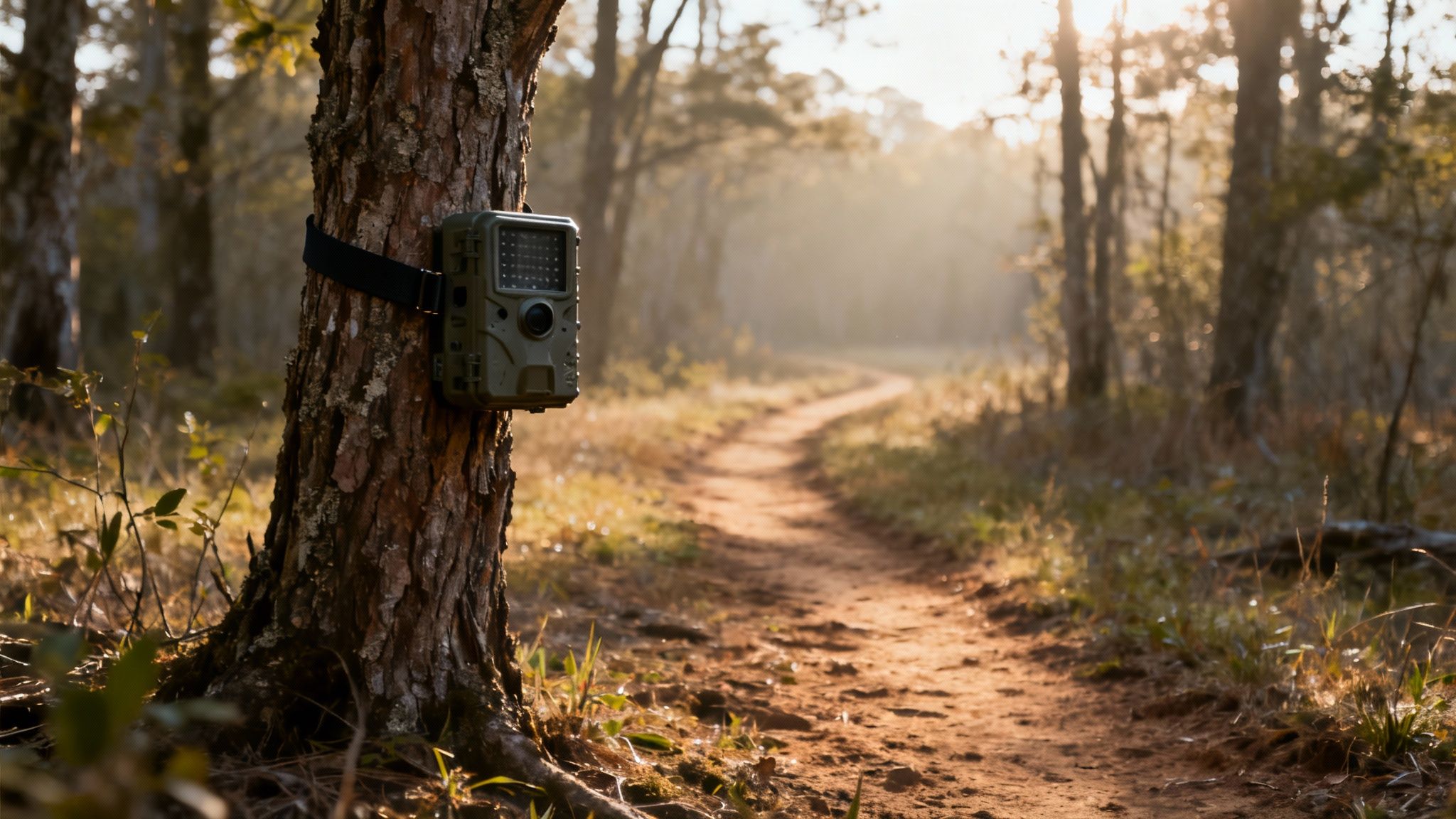
Your cellular camera is built to handle the elements, but a little long-term care will make sure it stays a reliable partner for years. Consistent maintenance is what prevents those frustrating field failures and keeps your camera performing at its best, season after season. Think of it as a quick check-up to protect your investment and guarantee you never miss that critical shot.
A simple routine is all it takes. Before you deploy your camera for a long sit, and right after you pull it, run through this quick checklist to catch any wear and tear.
- Lens and Sensor Cleaning: Gently wipe the camera lens, PIR sensor, and the solar panel (if you have one) with a soft, dry microfiber cloth. A clear view is non-negotiable for quality images and accurate motion detection.
- Weather Seal Inspection: Take a look at the rubber gaskets and seals around the camera housing and battery compartment. Make sure they’re clean, free of cracks, and create a tight closure to keep moisture out.
- Battery Terminal Check: Briefly inspect the battery contacts for any signs of corrosion, especially if you’re using standard AA batteries. If you see any buildup, a quick clean with a cotton swab will ensure a solid power connection.
Solving Common Field Issues
Even with perfect maintenance, you might occasionally run into a snag out in the field. The good news is that most problems have simple fixes you can handle without having to pull the camera down. Here are a few common situations and how to solve them.
Why did my camera stop sending pictures? Nine times out of ten, this is a connectivity or power issue. First, check the battery level in your app. If the power is good, the culprit is likely a weak cellular signal. Make sure the camera’s antenna is screwed on tight and that new, heavy foliage isn't blocking its line of sight to the nearest tower.
How can I extend my battery life? The key is to reduce the number of transmissions and false triggers. Lower the image resolution for sending (you can always request the HD version later) and dial back the camera's sensitivity to avoid capturing every swaying branch. Scheduling the camera to only operate during peak activity times is another huge power saver.
Legal and Ethical Use
Finally, being a responsible owner is a critical part of using any cellular outdoor camera. Always be aware of and comply with local, state, and federal regulations regarding surveillance equipment, especially on public lands or properties you don't own. Some states and hunting zones have specific rules about using transmitting cameras during hunting seasons.
Respecting privacy is just as important. Never place a camera in a location where people have a reasonable expectation of privacy. Using your gear ethically ensures that this technology remains a valuable tool for all responsible hunters and wildlife enthusiasts for years to come.
Got Questions? We've Got Answers
Let's tackle some of the most common questions that pop up when people are considering a cellular camera. This should clear up any lingering doubts you might have.
Do Cellular Cameras Need a Monthly Fee?
Yes, they do. Just like your cell phone needs a service plan to send texts and make calls, a cellular outdoor camera needs a data plan to send you photos and videos. This fee covers the data it uses to transmit everything from the field straight to your app. The good news is that most plans are flexible, usually based on how many pictures or videos you expect to get.
How Much Data Do These Things Really Use?
That really depends on whether you're getting photos or videos. A standard picture is pretty small, maybe around 50-100 KB. But a single 15-second HD video clip? That's a different story—it can gobble up 5-10 MB or more. If you’re someone who loves to request a lot of video footage, you’ll definitely want to look at a bigger data plan.
Can a Cellular Camera Work Without a Signal?
Not for sending you anything, no. The whole point of a cellular camera—getting those remote updates—is completely dependent on having a decent cell signal.
Now, here's the important part: if the camera is in a dead zone with no service, it doesn't just stop working. It will still take pictures and videos and save them right to its SD card, acting just like a traditional, non-cellular trail cam. You just won't get any notifications or see the images until it finds a signal again, or until you go out and pull the card yourself.
Ready to get real-time intel from the field? The Magic Eagle EagleCam 5 delivers unmatched reliability with its AI species recognition, GPS anti-theft protection, and multi-carrier connectivity.