

So, you’re hearing a lot about cameras with live feeds. What exactly are they?
Put simply, a camera with live feed gives you a real-time video stream right on your phone or computer. It lets you see what’s happening in front of the lens the second it happens. This isn't about getting a photo an hour later; it's like having a live video call with a remote location, turning you from a passive observer into an active participant.
What Is a Camera With Live Feed and Why It Matters
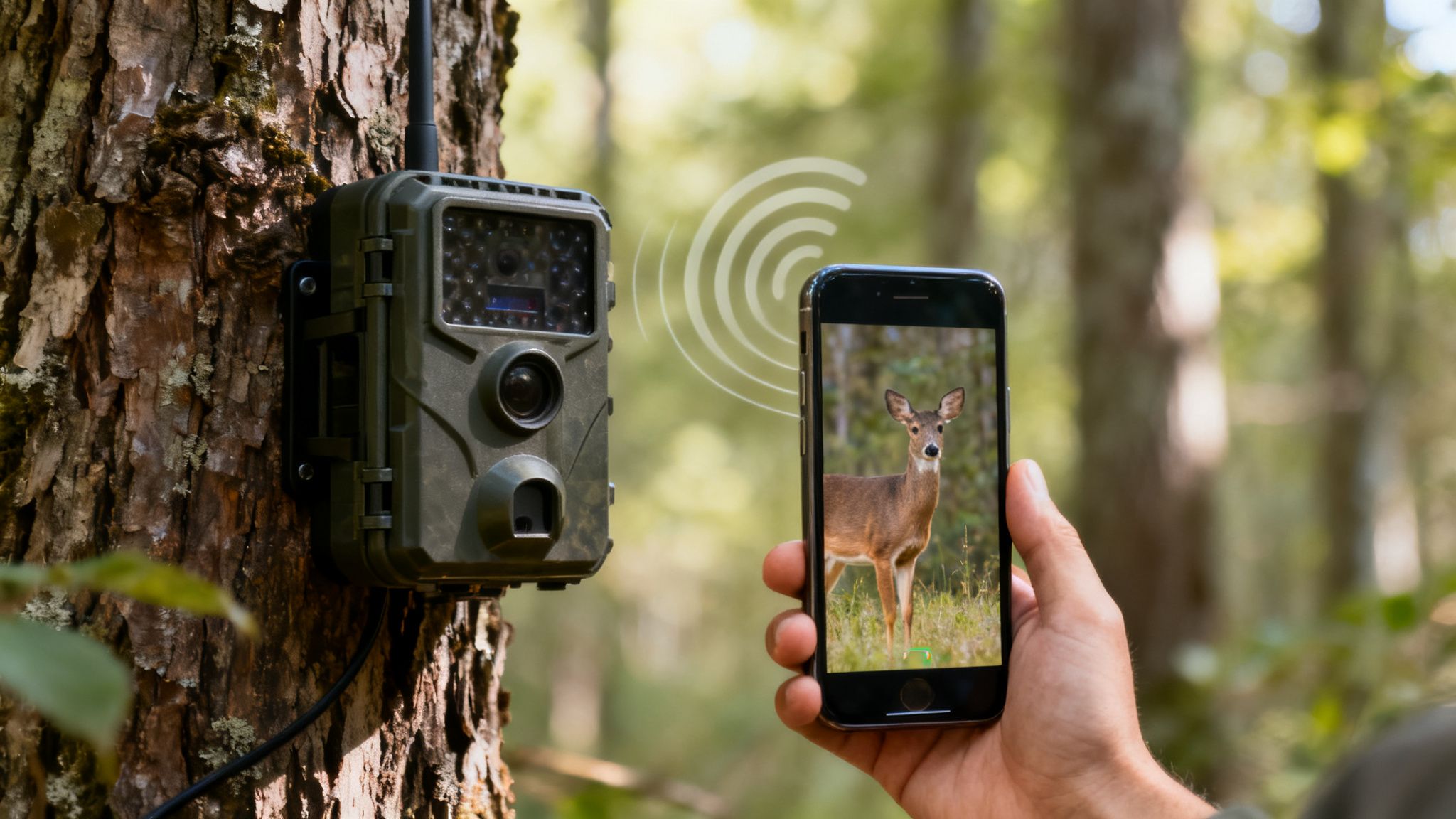
Think of traditional trail cameras like getting a postcard from the woods. You get a snapshot of what was there, but it’s just a memory of a past event. A camera with a live feed completely changes the game by closing the gap between an event happening and you knowing about it.
That shift from delayed notifications to immediate access is what makes this technology so powerful. It’s the difference between finding out a trespasser was on your property yesterday and seeing them approach in real-time. For a hunter, it’s seeing that trophy buck at your feeder right now, not just in a picture from last night.
The Technology Behind the Live Feed
How does this real-time magic actually work? The camera needs a solid connection to send huge amounts of video data instantly. This is usually handled in one of two ways, each designed for different environments:
- Cellular Cameras: These are the workhorses of the remote world. Just like a smartphone, they have a built-in 4G or 5G connection. They’re completely self-sufficient, making them perfect for deep woods, sprawling farmland, or any off-grid property where Wi-Fi is just a dream.
- Wi-Fi Cameras: These cameras connect to an existing Wi-Fi network. They’re a great fit for monitoring areas within range of a reliable internet source, like a backyard, a barn, or a cabin that already has a router running.
The demand for this instant insight is reshaping the entire industry. The global trail camera market, valued at USD 125.7 million in 2025, is expected to jump to USD 211.3 million by 2033. This growth is being fueled by over 15 million hunters in the U.S. and countless landowners who now rely on live feed capabilities for serious scouting and security. You can dig into more of the market trends on Grandview Research.
The core value of a live feed camera is its ability to transform data into action. By providing an immediate visual connection, it empowers you to make faster, more informed decisions, whether you're protecting property or tracking wildlife.
Why Real-Time Access Is Critical
The ability to tap into a live stream isn’t just a neat feature; it unlocks possibilities that were completely out of reach before. It fundamentally changes how you interact with a remote environment by giving you instant verification and peace of mind.
Instead of guessing what triggered a motion alert, you can see it for yourself. Instead of waiting hours—or days—to check footage, you can assess a situation on the spot. This direct line of sight is what makes a camera with a live feed an indispensable tool for anyone who needs to keep an eye on a location they can't physically be at.
How Cellular and Wi-Fi Live Streaming Cameras Work
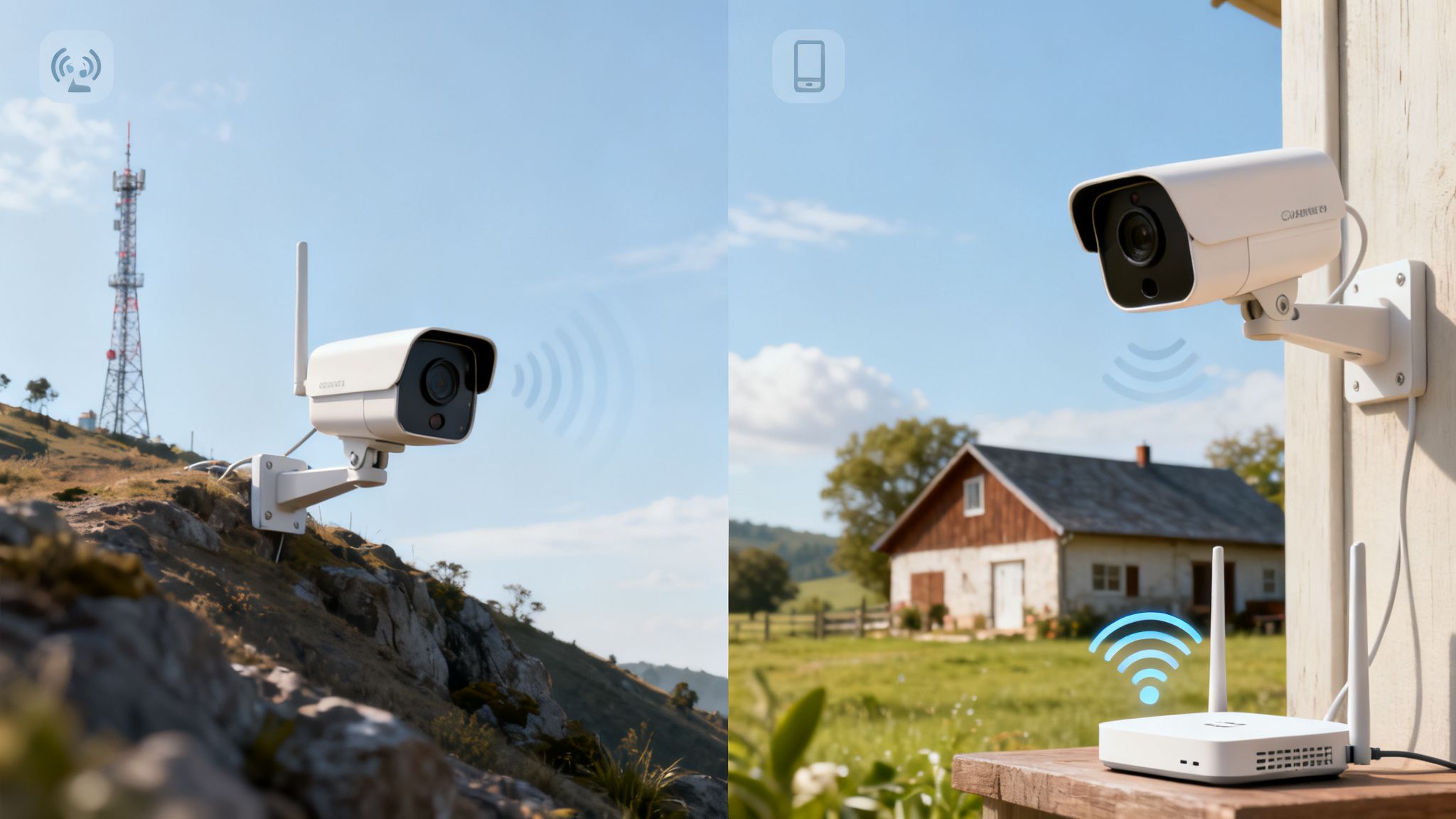
To really get a feel for what makes a live feed camera so effective, you have to look under the hood. How does it get a real-time video from a remote field or back pasture straight to your screen? It all comes down to two different ways of connecting to the internet, and the right one for you depends entirely on where you plan to put it.
At its core, live streaming is just a constant, uninterrupted flow of data. That requires a rock-solid internet connection. These cameras get online in one of two ways: either through a cellular network or a local Wi-Fi signal.
The Cellular Connection: The All-Terrain Vehicle
A cellular camera works a lot like your smartphone. It has its own built-in modem and SIM card, allowing it to connect directly to a 4G or 5G network. This makes it a totally independent, self-sufficient unit.
Think of it like a rugged, all-terrain vehicle. It doesn’t need any roads—no routers, no cables, no existing infrastructure. You can stick it deep in the woods, on a fence line miles from the nearest building, or at a remote construction site. As long as it can get a cell signal, it’ll stream live video.
That freedom is its biggest strength and what makes it the only real choice for true off-grid monitoring. For a deeper look at the nuts and bolts, you can check out our guide on how cellular trail cameras work.
Of course, this independence requires a data plan, just like your phone, so that's something to factor into your costs. But for remote surveillance where nothing else can connect, it's the only game in town.
The Wi-Fi Connection: The Commuter Car
A Wi-Fi camera, on the other hand, is like a dependable commuter car. It’s incredibly fast and efficient, but it needs established roads—in this case, your Wi-Fi network. It connects to the router in your home, barn, or cabin to get online.
This makes it a fantastic option for security and monitoring within a specific area. If you want to watch your backyard, keep tabs on a workshop, or monitor a building on your property that’s within Wi-Fi range, it’s a simple, cost-effective solution.
The big limitation here is range. The camera has to stay close enough to the router to get a strong signal, which usually means a few hundred feet at most.
The real difference isn't about which technology is "better," but which one is built for the job you need done. Cellular offers unmatched freedom for remote locations, while Wi-Fi gives you a simple, high-speed solution for areas that already have internet.
To make the choice even clearer, let’s put them side-by-side.
Cellular vs. Wi-Fi Live Feed Cameras at a Glance
This table breaks down the key differences between cellular and Wi-Fi live feed cameras to help you decide which technology best fits your needs.
| Feature | Cellular Camera (e.g., EagleCam 5) | Wi-Fi Camera |
|---|---|---|
| Best Use Case | Remote, off-grid locations like hunting properties, large farms, and research sites without existing internet. | Areas within range of an existing Wi-Fi network, such as backyards, cabins, barns, or small properties. |
| Range | Virtually unlimited, as long as there is cellular service available from a provider. | Limited to the range of your Wi-Fi router, typically 100-300 feet, which can be affected by walls and obstacles. |
| Setup Simplicity | Extremely simple. Activate the camera and place it anywhere with a signal. No need to configure routers or networks. | Requires connecting to an existing Wi-Fi network, which involves entering passwords and ensuring signal strength. |
| Data Costs | Requires a monthly or annual cellular data plan, which varies based on usage and video quality. | No separate data plan is required; it uses your existing home or business internet connection. |
| Portability | Highly portable. It can be moved easily from one remote location to another without any network reconfiguration. | Limited portability. Moving the camera requires it to stay within the fixed range of its paired Wi-Fi network. |
Ultimately, your environment dictates the best tool for the job. If you’re miles from civilization, cellular is your answer. If you’re just monitoring your own property, Wi-Fi will get it done easily.
Seven Key Features to Evaluate in a Live Feed Camera
Knowing the difference between a cellular and Wi-Fi camera is a great start, but what really separates a reliable field camera from a frustrating piece of junk? It’s all in the details. A truly great camera with live feed is a balanced system, where every single part works together to give you a clear, instant view right when you need it.
To make a smart choice, you have to look past the megapixel count on the box. You need to evaluate the whole package, from how strong its signal is to how tough its outer shell is. Let's break down the seven most critical features that make or break a camera's performance out in the wild.
Connectivity and Signal Reliability
First things first: your camera has to connect and stay connected. A camera that’s constantly dropping its signal is useless, no matter how great its other features are. This is especially true for cellular models you’re planning to stick out in the middle of nowhere, where service can be spotty at best.
Think of signal reliability as the foundation of your live stream. If that foundation is weak, the whole thing comes crumbling down. Look for cameras with high-gain antennas and smart tech designed to actively search for and lock onto the strongest network around. That’s what keeps your live feed stable.
The industry is clearly shifting this way. "Cellular Trail Camera" searches have spiked over the last five years, especially around hunting season. The 8-12 MP category is growing between 3.5% and 8.0% because it hits that sweet spot of clear video without killing the battery. At the same time, security use on farms and large properties is surging by 5.0%-11.5%, where features like geofence alerts are a must-have. For serious users, reliable connectivity isn't just a feature—it's everything.
Stream Quality and Latency
Once you’re connected, the next question is simple: how does the video actually look? Stream quality isn't just about resolution; it's about how smooth and responsive the feed feels. This is where latency comes into play.
Latency is just the technical term for that annoying delay between something happening in front of the camera and you seeing it on your screen. High latency makes a live feed feel sluggish and disconnected, like you're watching a badly dubbed movie.
A low-latency feed is the difference between watching an event unfold and reacting to it in real time. For security or wildlife observation, this immediacy is everything.
You want a camera that strikes a balance between clear video and minimal delay. A tiny lag is always going to be there, but a well-designed camera keeps it to a second or two. That’s how you get a view that’s as close to truly "live" as possible.
Image and Video Resolution
While stream quality is all about the live experience, resolution determines how much detail you can see in both your live view and your recorded clips. It's measured in megapixels (MP) for photos and pixels (like 1080p or 4K) for video.
Higher resolution means you can zoom in on a photo or video without it turning into a blurry mess. This is absolutely critical for identifying specific details, like the number of points on a buck’s rack or the license plate on a truck that shouldn’t be on your property.
- Standard Definition (480p): Gives you a basic picture but you'll lose the fine details.
- High Definition (720p/1080p): The go-to for most people. It provides a clear, detailed image that works for almost any situation.
- Ultra High Definition (4K): Delivers incredible detail, but be warned—it chews through data and battery life much faster.
For most of us, 1080p is the perfect middle ground, offering great clarity without bogging down your data plan or draining your battery. Our guide on trail cameras that send photos to your phone digs deeper into why this resolution is so popular.
Battery Life and Power Options
A camera is only as good as its power source. If your camera has a short battery life, you're in for a world of headaches and constant trips back to your site just to keep it running.
Look for a camera with an efficient power system and, more importantly, flexible options. Internal rechargeable batteries are nice, but the real game-changer is support for an external power source—specifically, a solar panel.
Pairing your camera with a solar panel can give it a virtually endless power supply. As long as it gets a few hours of sun each day, it will keep running. This "set it and forget it" setup is essential for anyone planning a long-term deployment.
Durability and Weatherproofing
Let's face it, your camera is going to live outside, and it's going to get beat up by Mother Nature. Rain, snow, brutal heat, and freezing cold—it has to handle it all. That’s why tough, weatherproof construction isn't just a nice-to-have; it's a must.
Always check for an IP (Ingress Protection) rating. This little code tells you exactly how well the camera is sealed against dust and water. A rating of IP66 or higher is what you're looking for. It means the camera is completely dust-tight and can handle powerful jets of water, so a nasty storm won’t take it out of commission.
Smart AI and GPS Capabilities
Today’s cameras are more than just eyes in the woods; they’re getting smart. AI (Artificial Intelligence) detection can tell the difference between a person, a car, and a deer. This drastically cuts down on those annoying false alerts from waving tree branches or falling leaves.
This kind of smart filtering means you only get notified about activity that actually matters. On top of that, built-in GPS has become a critical anti-theft feature. If your camera gets moved or stolen, GPS lets you track its location and get your investment back. Some models even have geofencing, which sends you an alert the second the camera moves outside of an area you’ve defined.
App Usability and Experience
Finally, remember that the camera’s hardware is only half the equation. The other half is the mobile app you’ll be using to watch the live feed, tweak settings, and look at your photos and videos.
A clunky, poorly designed app can make even the best camera a total pain to use. A good app should be:
- Intuitive: So easy to use you don’t even need to look at the manual.
- Stable: It shouldn't crash or freeze, especially when you're trying to pull up an important live feed.
- Responsive: It should connect to the camera quickly and let you change settings without a long delay.
- Feature-Rich: It should give you useful tools, like interactive maps, easy ways to organize your photos, and simple sharing options.
The app is your command center for the camera. Before you pull the trigger on a purchase, do yourself a favor and check the reviews for the app itself. Make sure it provides the smooth, reliable experience you'll need out in the field.
Real-World Scenarios for Live Feed Cameras
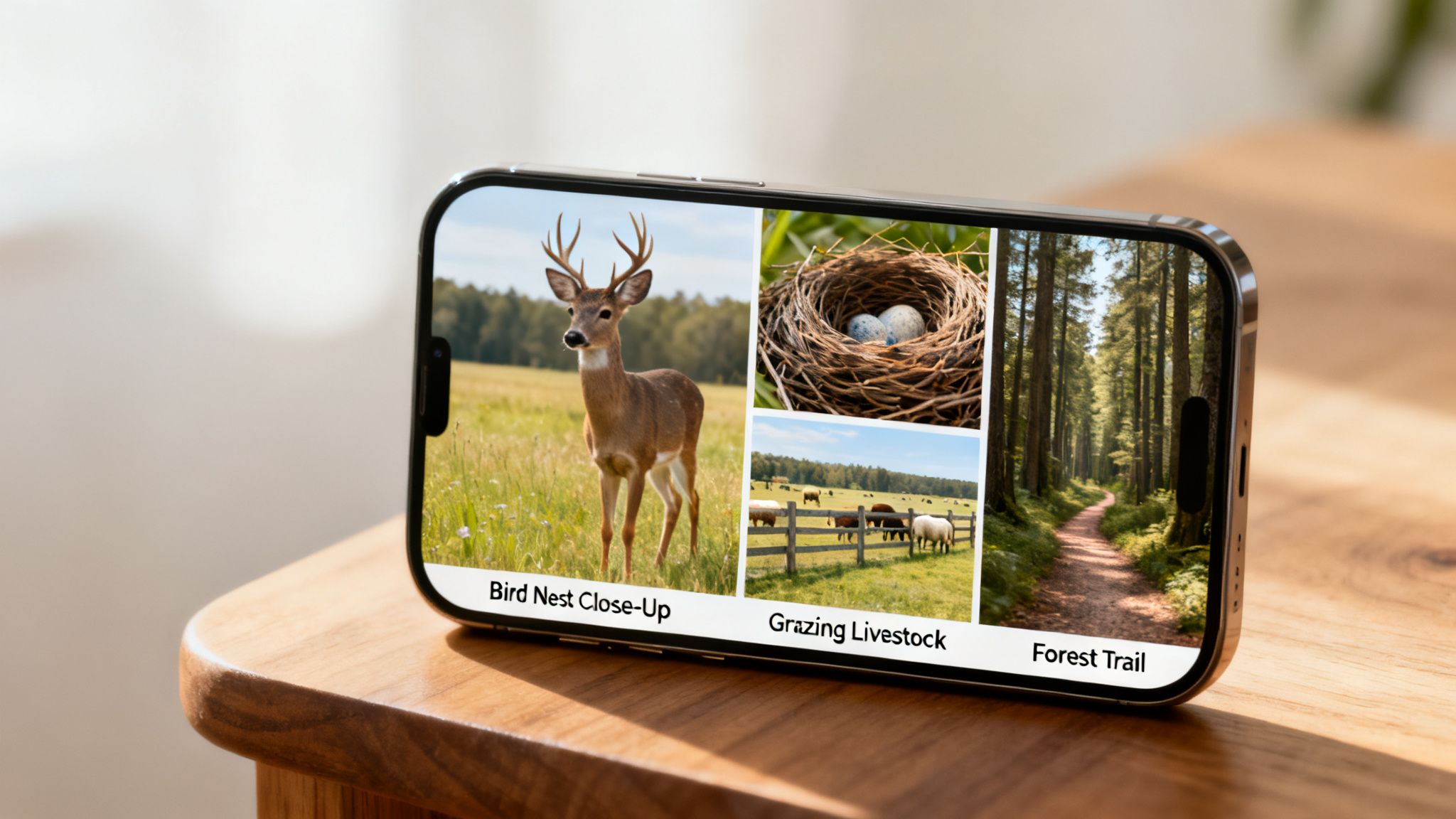
The true value of a camera with live feed isn’t buried in a spec sheet—it’s in how it solves real problems when you’re miles away from the action. This technology is more than just another gadget; it's a direct, real-time window into a world you can't be in. Let's shift from features to function and look at four scenarios where a live stream camera becomes absolutely essential.
These examples show how different people can put this tech to work, whether they're scouting a trophy buck, protecting their property, or sharing a rare wildlife moment with the world.
For the Hunter Scouting a Ghost Buck
Imagine you’re after that one elusive, mature buck—a ghost of the woods. He only shows up at odd hours and is ridiculously sensitive to human pressure. Every trip into his core area to check a camera risks bumping him and blowing your whole season.
This is where a cellular camera with a live feed completely changes the game. You can hang the camera on a key travel corridor, food source, or scrape line and never have to step foot in that spot again. Instead of tromping in to pull an SD card and leaving your scent all over the place, you just tap into the live feed from your couch when you get a motion alert.
- Observe Behavior in Real-Time: Is he just passing through, or is he staging just off the food plot? A live view tells you what's happening right now, letting you dial in his patterns without ever disturbing his sanctuary.
- Confirm Sightings Instantly: A motion alert at dusk could be anything. A live feed lets you immediately confirm if it’s your target buck, a doe, or just another pesky raccoon.
- Plan Your Hunt: By watching his behavior live, you can pinpoint the exact times he’s hitting a trail. That intel helps you decide the perfect moment to slip in for a hunt.
This application has totally reshaped modern hunting. In fact, a staggering 62% of North American hunters now use live feed trail cameras to keep tabs on game activity. Outfitters and guides are even using them to prepare clients, live-streaming a trophy buck on a feeder through an app that lets them tag the location on an interactive map. To see how the market is evolving, you can visit Market Growth Reports for the latest trends.
For the Researcher Monitoring an Elusive Species
Now, picture a wildlife biologist studying a rare, shy species like a bobcat or a nesting pair of eagles. The number one rule is to collect data without disturbing them. Human presence can alter natural behaviors or, worse, cause the animals to abandon their territory altogether.
A silent, camouflaged live feed camera is the perfect non-invasive tool for the job. Placed discreetly near a den or a nest, it becomes a 24/7 observation post without an observer.
For researchers, a live feed isn't just about watching animals; it's about gathering untainted behavioral data. It removes the observer effect, providing a pure, unfiltered look into the lives of wild creatures.
Scientists can tune in during critical moments, like when parents are feeding their young, to document interactions and gather priceless data for conservation. This ability to watch live without being there is a massive leap forward for wildlife science.
For the Landowner Securing a Remote Property
Think about a landowner with a big, remote piece of property. There’s a back gate miles from the house, expensive equipment stored in a far-off barn, or cattle grazing in a distant pasture. Driving out to check on everything every single day just isn’t practical.
A strategically placed camera with a live feed delivers instant peace of mind. When a motion alert pings your phone from the back gate at 2 a.m., you don’t have to lie awake wondering what it was.
- Instantly Verify Alerts: Just tap the live feed. You’ll know in seconds if it's a delivery truck, a trespasser, or just a deer cutting across the path.
- Monitor Livestock: Check on your herd during calving season or make sure their water trough is full without having to drive all the way out to the back 40.
- Deter Theft: The mere presence of a camera is a powerful deterrent. And with a live feed, you can capture crucial evidence and react immediately if you see a theft in progress.
For property owners, the camera serves as a remote security guard, giving them a set of eyes on their most vulnerable and distant assets.
For the Content Creator Capturing Live Moments
Finally, consider a wildlife photographer or a nature-focused content creator. Their entire goal is to capture those magical, once-in-a-lifetime moments—a bear and her cubs emerging from their den, a hawk landing perfectly on a branch, or a flock of birds descending on a feeder.
These moments are fleeting and totally unpredictable. A camera with a live feed lets them monitor a promising location and hit "record"—or even stream live to their audience—the second the action starts. It flips the script from being reactive to proactive, ensuring they never miss the shot just because they weren't physically there at the right second.
Setting Up and Troubleshooting Your Camera
Getting your camera up and running shouldn't be a headache. Think of it like sighting in a new rifle—a little prep work up front saves you a ton of frustration in the field. This guide will walk you through the essential steps for a solid deployment and give you real solutions for the common hiccups you might run into.
Our goal is simple: get you from the box to a crystal-clear live stream, fast. The right spot and the right initial setup are everything for a reliable, long-lasting connection.
Quick-Start Guide for Your Cellular Camera
Nailing the deployment on your first try means fewer trips back to the site. Just follow these steps, and you’ll have your camera performing at its peak from day one.
- Charge and Activate: Before you even head out, give the camera’s internal battery a full charge. Then, activate your camera through the app or website. This usually just means scanning a QR code and picking a data plan.
- Find the Best Spot: Use your app's signal map to scout for the best cellular reception. You're looking for a clear line of sight to the sky, away from deep ravines or thick tree canopies that kill a signal.
- Mount and Aim: Strap the camera to a solid tree or post, somewhere between three and five feet off the ground. Point it toward your target area, but keep the sun in mind—you don't want morning or evening glare washing out your view.
- Connect a Solar Panel (Recommended): For a true set-it-and-forget-it setup, hook up an external solar panel. Make sure it faces south (if you're in the Northern Hemisphere) and gets at least 3-4 hours of direct sun each day.
- Test the Live Feed: Once it’s all set, fire up the app and start a live stream. This quick check confirms your connection is solid and your aim is true before you pack up and leave.
Solving Common Frustrations
Even the best setups can hit a snag. But instead of getting frustrated, here’s how to fix the most common problems people face with a live feed camera.
A live feed camera is a powerful tool, but it's a balancing act between signal, power, and settings. Get a handle on troubleshooting these three things, and you'll solve 90% of any issues that pop up.
For a deeper dive into remote camera setups, our guide on how to monitor cameras remotely has more advanced tips.
Why Is My Live Feed Blurry or Buffering? Nine times out of ten, this is a signal strength problem. A weak cellular connection just can't handle the data needed for a smooth video stream. Your first move should be to find a spot with better reception. If that’s not an option, adding a booster antenna can work wonders. You can also drop the stream quality in your app from 1080p to 720p to ease the data load.
Why Is My Battery Draining So Fast? Live streaming and recording high-res video are the biggest battery hogs, period. If you’re not running a solar panel, keep your live view sessions short and sweet. Try setting your motion alerts to send photos instead of full video clips. Also, check your placement—if a windswept branch is constantly triggering the camera, it's going to drain the battery in no time.
Why Am I Not Receiving Motion Alerts? First, the obvious stuff: check your phone's notification settings in the app to make sure they’re turned on. Next, look at the camera’s sensitivity settings. If it's set too low, it won't pick up movement in the distance. Finally, make sure the AI detection is configured for what you actually want to see, like "People" or "Animals."
How to Choose the Right Live Feed Camera for You
Alright, you now get what a live feed camera is, how cellular stacks up against Wi-Fi, and the key features that separate a reliable field tool from a frustrating piece of plastic. The last step is pulling all that knowledge together to make a smart, confident decision. This isn't just about picking the camera with the most megapixels; it’s about choosing a complete system that solves your specific problem out in the real world.
Making the right call boils down to three core questions: What's my main goal? What's the connectivity like at my location? And what features are absolute deal-breakers for me? Let's walk through this final checklist to make sure you invest in a camera that works as hard as you do.
Define Your Primary Use Case
First thing's first: what's the number one job for this camera? Answering that question honestly will instantly shrink your list of options and put the most important features front and center.
- For Serious Hunters: Your priority is stealthy, real-time scouting. That means you need a cellular connection for those remote food plots, smart AI to stop your phone from buzzing every time a squirrel runs by, and a solid power solution like a solar panel to keep you from spooking deer every two weeks.
- For Landowners and Security: You're looking for instant verification and a solid deterrent. A camera with a dependable live feed, GPS anti-theft tracking, and a simple app for quick check-ins is non-negotiable for protecting remote equipment or property lines.
- For Wildlife Researchers: Your goal is pure, non-invasive observation. A quiet, camouflaged camera with high-quality video and a rock-solid connection is what you need to gather clean behavioral data without ever stepping foot in the study area.
Being clear about your main objective keeps you from overpaying for bells and whistles you won't use or, even worse, buying a camera that fails at the one thing you bought it for.
Match the Camera to Your Location
Your environment dictates the technology. A world-class camera with the wrong kind of connectivity is just an expensive paperweight.
If you’re watching an area with a strong, existing Wi-Fi signal—like your backyard or a barn near the house—a Wi-Fi camera is a perfectly simple and effective choice. But for any truly remote spot—a hunting lease, a back pasture, or an off-grid research site—a cellular camera with live feed is the only game in town. It operates on its own, giving you the freedom to put it exactly where you need eyes, not just where you happen to have an internet router.
Invest in a Cohesive System, Not Just a Camera
A top-tier camera is more than just hardware; it's a complete system where every single piece works together without a hitch. This is where you see the difference between a budget camera and a premium, field-tested solution. You're not just buying a camera; you're investing in reliability.
The real value isn't in a single spec, but in how seamlessly the camera, the cellular connection, the AI, and the app all work together as one. A weak link anywhere in that chain can bring the whole system down.
This is exactly why serious users end up choosing a cohesive package. They need a system where the manufacturer has already worked out all the common kinks and frustrations.
- Integrated 4G Connectivity: A built-in cellular modem that automatically finds the strongest signal means you spend less time fighting with settings and more time actually monitoring your spot.
- Smart AI Detection: Intelligent filtering that knows the difference between a person and a passing deer saves your battery and your sanity by only sending alerts for what actually matters.
- A Polished App Experience: A smooth, intuitive app is your command center. It needs to give you a stable live view, easy access to settings, and useful tools like interactive maps—all without crashing.
When you inevitably run into connection issues out in the field, this decision tree can help you figure out what's wrong in a hurry.
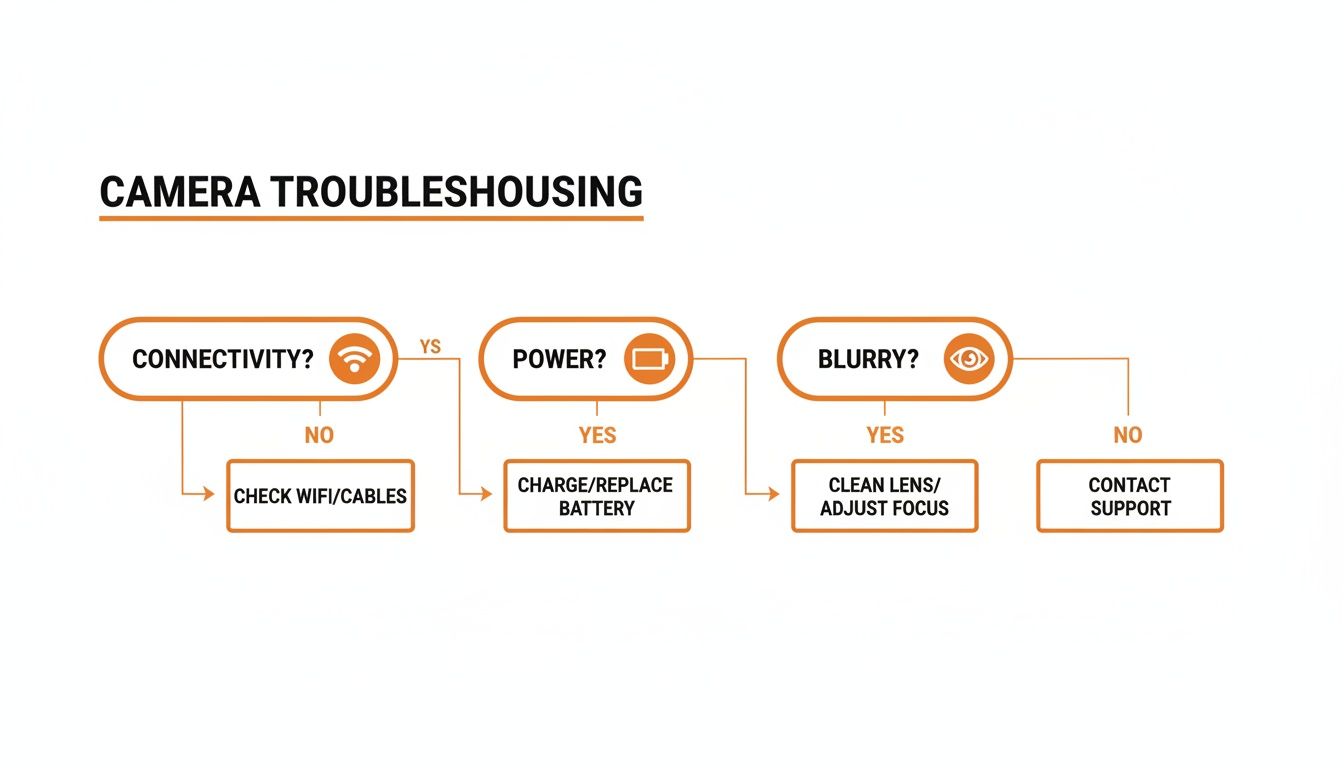
As this chart shows, most problems in the field come down to three things: connectivity, power, or your settings. A well-designed, integrated camera system helps prevent most of these headaches from the get-go. Choosing a camera that’s built from the ground up to handle these real-world challenges is the smartest move you can make.
For those who depend on reliability when it counts, the Magic Eagle EagleCam 5 delivers a complete, field-tested system designed for serious work. Its integrated 4G, smart AI detection, and dead-simple app experience provide the dependable, real-time monitoring you need to scout, secure your property, and get the job done. Check out the EagleCam 5 and see the difference a purpose-built system makes at https://magiceagle.com.